

Freeze-frame video editor · macOS
Cut it.
Freeze it.
Make it land.
Turn your own clips and photos into animated meme videos. Build the moment on a real timeline, hold the perfect frame, then bring in titles, sunglasses, caps, chains and your own sound.
The film
See the freeze
before the punchline.
The product video will live here. This 16:9 stage is ready for the final film without changing the page layout.
02 · The workflow
From ordinary clip
to perfect timing.
- 01
Bring the moment in
Choose video or photos from Files or Photos. Your media stays on your device.
- 02
Shape the timeline
Arrange clips, trim the source, set the canvas and place sound exactly where it belongs.
- 03
Freeze the frame
Hold the beat before or after a chosen frame, in black and white or original colour.
- 04
Animate the payoff
Time titles and graphics with editable motion points, preview the full scene, then export.
The editor
A timeline built
for the joke.
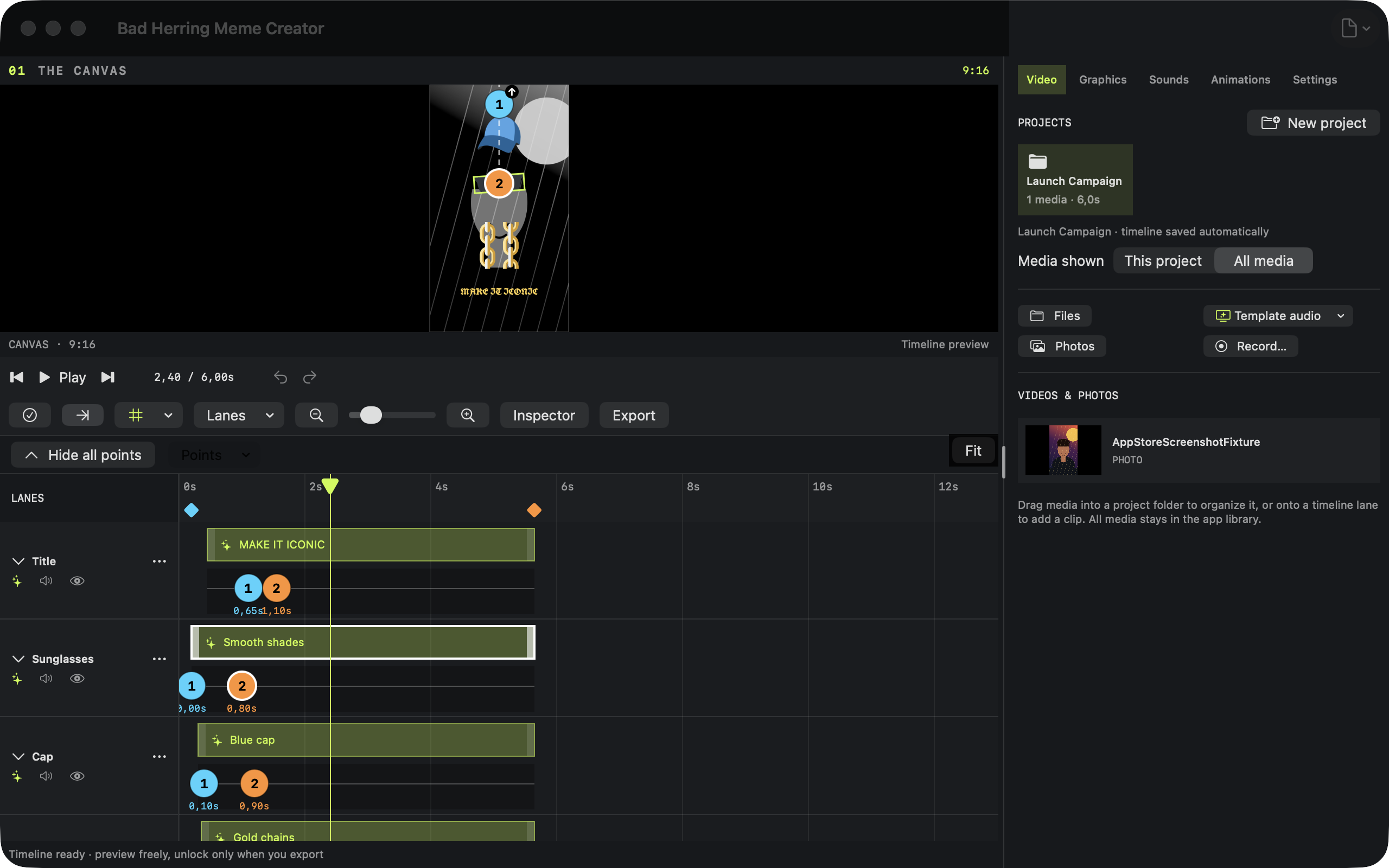
Video, sound and every graphic get their own lane. Drag clips into place, snap edges, trim groups, move animation points and preview the same timing used by the final render.
- 01 Multi-track video, sound and graphics
- 02 Editable position, scale and rotation
- 03 Reusable projects, layouts and Meme Packs
03 · Output
Made for the
shape you need.
Export H.264 MP4 video at 30 fps, with AAC audio when your project includes sound.
- 9:161080 × 1920Reels · Stories · TikTok
- 1:11080 × 1080Square feed
- 4:51080 × 1350Portrait feed
- 16:91920 × 1080Landscape · YouTube
- 4:31440 × 1080Classic frame
Private by design
Your media stays yours.
Editing and rendering happen on your device. Meme Creator has no app account, advertising or analytics service, and it does not upload your imported media to a Bad Herring server.
Read the privacy policyComing soon
Built for Mac.
Not released yet.
Meme Creator is still being prepared for release. There is no download or purchase link until the app is ready and its public App Store page exists.